

Key Takeaway
An ATS-friendly resume presents your experience in a clear format that recruitment software can process and people can read. Start with a simple, single-column layout, familiar section headings and relevant, truthful details. Follow the employer’s file instructions, review the exported document and tailor your resume to the job. No template or score can guarantee an interview.
Writing a resume can become confusing when every guide tells you to “beat the ATS.” You do not need hidden keywords, complicated designs or a document packed with every skill you can think of. You need a readable resume that makes your qualifications easy to understand.
This guide explains how to write an ATS-friendly resume, shows a simple example and gives you a checklist to use before applying. If you already have your details ready, you can use my free ATS-friendly resume builder to create and preview a PDF without signing up.
What Is an ATS-Friendly Resume?
ATS stands for applicant tracking system. Employers use these systems to manage applications and recruitment workflows. Resume parsing is one function: software extracts information such as your contact details, work history and education into structured fields.
An ATS-friendly resume makes that information straightforward to identify. It also helps a recruiter find your relevant experience without working through distracting formatting.
Parsing and hiring decisions are not the same thing. A document that imports correctly can still be a poor match for a role. Likewise, a parsing problem does not prove that an application was automatically rejected. Greenhouse’s parsing guidance, for example, explains that a failed parse can leave the resume attached while candidate details need manual entry.
A Simple ATS-Friendly Resume Format
Use a straightforward structure rather than trying to make your resume look like a brochure. A practical order for an experienced applicant is:
- Name and contact details
- Professional summary, if it adds useful context
- Professional experience, with your most recent role first
- Selected projects, when relevant
- Education
- Relevant skills and certifications
If you are a student or recent graduate, education and relevant projects may deserve a higher position. Choose an order that makes your strongest evidence easy to find. You do not need an empty section just because a template includes it.
Keep the Layout Predictable
A single column is a sensible starting point. Use normal text for essential information rather than placing it inside graphics, text boxes or decorative sidebars. Keep your name and contact details in the main document body, not only in a page header or footer. Complex layouts can create extraction problems; this does not mean every system fails on every two-column document.
Use clear headings such as “Professional Experience,” “Education” and “Skills.” Keep dates, spacing and bullet styles consistent. A simple dividing line is enough; skill-rating bars, charts and icons are not needed to explain your qualifications.
Choose a Readable Font and Comfortable Spacing
Use a familiar font such as Arial, Calibri or another clear, conventional typeface. Around 11–12 points is a useful starting range for body text, with larger headings. This is a readability choice, not a special ATS requirement. Avoid shrinking the text to squeeze everything onto one page.
Leave enough space between sections and use dark text on a light background. One page can work well for an early-career applicant; two pages may be appropriate when you have substantial relevant experience. Focus on useful information, not an arbitrary page count.
How to Write an ATS-Friendly Resume
1. Read the Job Description Before Editing
Identify the main responsibilities, required skills and relevant tools. Then find examples from your own experience that demonstrate those requirements. Do not send the same general resume to every role without reviewing it.
For a WordPress role, relevant evidence might include theme development, PHP, WooCommerce or performance improvements. For an administrative role, it might include scheduling, record management or customer communication. Include only skills you can honestly discuss and demonstrate.
2. Use Relevant Keywords Naturally
Use the employer’s terminology when it accurately describes your experience. For example, “customer relationship management (CRM)” can clarify an abbreviation. Mention a specific platform when you have actually used it, rather than relying only on a broad phrase such as “computer skills.”
Keywords should appear in meaningful sentences and a concise skills section. Repeating the job description, hiding white text or claiming tools you have never used makes your resume less trustworthy. The goal is an accurate match, not keyword volume.
3. Show What You Did and Why It Mattered
Replace vague responsibilities with specific examples. A useful bullet explains the action, its scope and the result when you can support it.
Too vague: Responsible for updating the website.
More useful: Updated WordPress service pages, corrected broken links and tested contact forms before publishing.
Add numbers when they are accurate and meaningful, such as the number of pages maintained or the measured time saved. Do not invent percentages because a template suggests them. Specific work is valuable even when you do not have a dramatic metric.
4. Make Your Contact Details Easy to Find
Include your name, a professional email address and a phone number where appropriate. A city and country are usually enough location detail unless the employer requests more. A full street address is generally unnecessary for an initial resume.
Add a relevant portfolio, LinkedIn profile or GitHub URL if it strengthens your application. Display a recognizable address rather than relying on an icon. Clickable links are not inherently an ATS problem, but a visible URL remains useful in a printed or plain-text copy. Check that every profile is current and accessible.
5. Export the File the Employer Requests
If the application requests DOCX, submit DOCX. If it accepts PDF, use a text-based PDF rather than a scan or screenshot. There is no single file type that overrides every employer’s instructions.
Open the exported file and check every page. Look for clipped text, awkward breaks and missing characters. Try selecting and copying the text into a plain-text editor to inspect its reading order. This is a useful basic check, not proof that every ATS will parse the file correctly. After uploading, review any automatically filled application fields too.
A Simple ATS-Friendly Resume Example
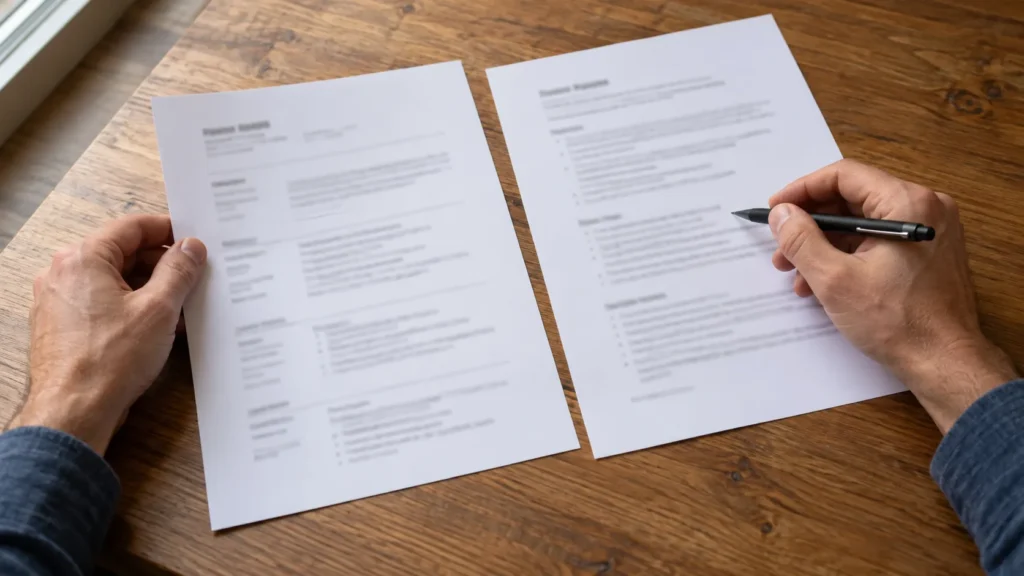
The following fictional example shows the content structure of a straightforward resume. It is not a screenshot of the builder’s output or a guarantee of parsing results. Replace the details with your own accurate experience and adjust the order for the role.
JORDAN TAYLOR
Junior Web Developer
Cebu City, Philippines
[email protected]

PROFESSIONAL SUMMARY
Junior web developer with experience maintaining
WordPress websites, creating responsive page layouts
and testing website forms before publication.

PROFESSIONAL EXPERIENCE
Junior Web Developer | Northfield Digital Studio
June 2024 – Present
• Build responsive WordPress pages from approved designs.
• Test forms, links and layouts on desktop and mobile.
• Document updates and prepare client handover notes.

SELECTED PROJECTS
Community Organization Website | 2024
• Created service and contact pages in WordPress.
• Added clear navigation and tested the enquiry form.

EDUCATION
Bachelor of Science in Information Technology
Central Valley College | 2024

SKILLS
WordPress, HTML, CSS, JavaScript, responsive design,
website testing and content updates
Notice what the example does not need: a photo, a skill percentage, a decorative sidebar or a long personal introduction. The headings identify the information, while the bullets describe relevant work. In your finished document, use comfortable spacing and a normal readable font rather than treating this plain-text example as a visual template.
ATS-Friendly Resume Checklist Before Applying
- Relevant: The resume addresses the role’s main requirements without invented skills.
- Readable: Headings, font size and spacing make the document easy to scan.
- Structured: Work history and dates are consistent, with recent experience first where appropriate.
- Specific: Bullets show actual work, with accurate results or scope when available.
- Complete: Contact details, education and relevant links are correct.
- Accessible as text: Essential information is not trapped inside an image.
- Reviewed: Every exported page has been checked for errors and awkward breaks.
- Submission-ready: File type and size follow the application instructions, and imported fields have been verified.
Frequently Asked Questions
What Does ATS Mean on a Resume?
ATS means applicant tracking system. An “ATS resume” usually refers to a resume formatted to support software parsing while remaining clear for human readers. It is not a separate qualification or certification.
Is a PDF Resume ATS-Friendly?
A text-based PDF can be suitable when the employer accepts PDF. Avoid image-only files and check the exported text and layout. If the employer specifically requests Word or another format, follow that instruction instead.
What Is the Best ATS-Friendly Resume Layout?
A simple single-column layout with familiar headings is a practical starting point. Reverse-chronological experience works well for many applicants. Recent graduates may place education and relevant projects earlier so their strongest evidence is visible.
Which Fonts Should I Use?
Choose a clear conventional font, such as Arial or Calibri, and a comfortable reading size. Consistent formatting and a usable text export matter more than finding a supposedly perfect ATS font.
How Can I Check Whether My Resume Is ATS-Friendly?
Review the layout, select and copy the text to inspect reading order, and verify fields after uploading to an application portal. These checks can reveal obvious problems, but they cannot certify compatibility with every system. A third-party checker’s score is not an employer’s hiring decision.
Can I Write an ATS-Friendly Resume Without Experience?
Yes. Use relevant coursework, internships, volunteer work and personal or academic projects to demonstrate what you can do. Describe your contribution honestly and show useful skills. Do not create a fictional employment history to fill space.
Does an ATS-Friendly Resume Guarantee an Interview?
No. A readable format helps communicate your experience, but employers also consider qualifications, application answers, role requirements and other candidates. No resume builder can guarantee that your application will pass every screening stage.
Build a Clear Resume and Review It Before Sending
A strong resume does not need complicated formatting. Keep the structure simple, connect your experience to the role and check the final document carefully. Your goal is to make the relevant facts easy to find—not to outsmart an imaginary robot.
Ready to create yours? Use my free ATS-friendly resume builder to enter your details, preview the document and download a PDF. No signup is required. The builder helps format your information; it is not an ATS scoring or job-matching service.